Install StreamFC on Fire TV
Five steps with your remote. Most of the time is the download.
- 1
Install Downloader
On the Fire TV home screen, search the Appstore for Downloader by AFTVnews and install it.
It is free. It is how the file gets onto your TV.
- 2
Let Downloader install apps
Go to Settings › My Fire TV › Developer options › Install unknown apps, find Downloader in the list, and switch it ON.
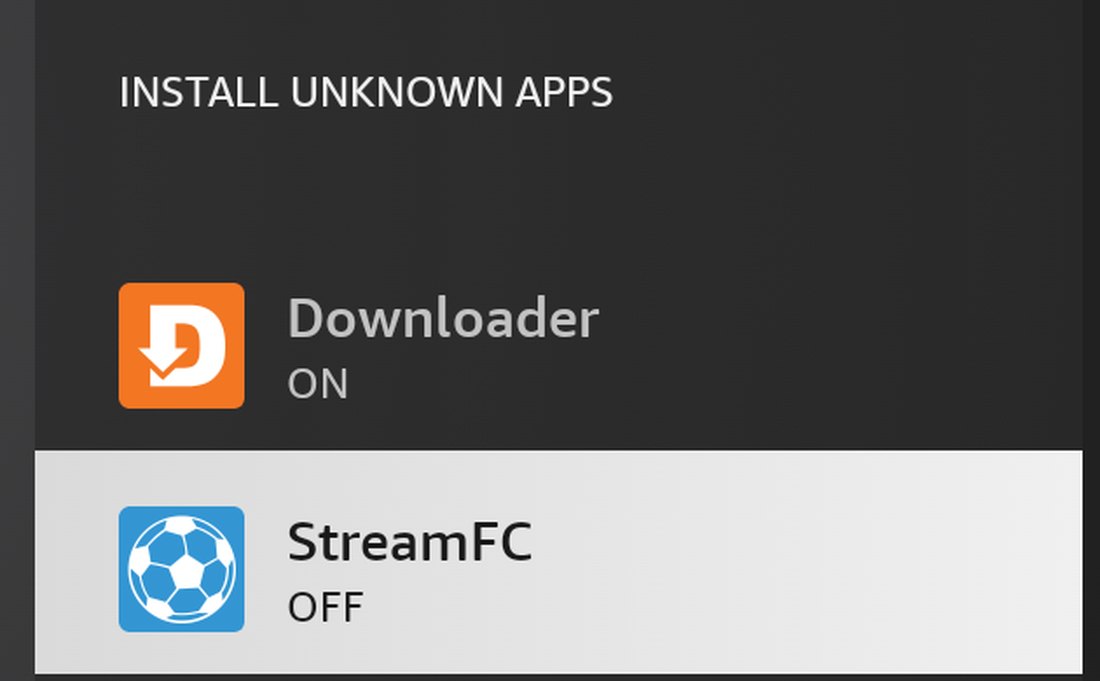
Only Downloader needs to be ON right now. No Developer options? Open Settings › My Fire TV › About, select the device name seven times, then go back. It appears.
- 3
Enter the code
Open Downloader. Type this into the box at the top, then select Go.
6122536

The box at the top of Downloader. Prefer typing an address? Use streamfc.com/fire/apk instead.
- 4
Install it
When the download finishes, Fire TV asks to install. Press right to reach INSTALL, then Open.

Fire TV starts on CANCEL, so press right. That is the install done. You can delete Downloader if you like.
- 5
Later: let StreamFC update itself
StreamFC updates itself, with no store involved. The first time it offers an update it needs the same permission you gave Downloader.
Go to Settings › My Fire TV › Developer options › Install unknown apps once more, switch StreamFC ON, then press Update.
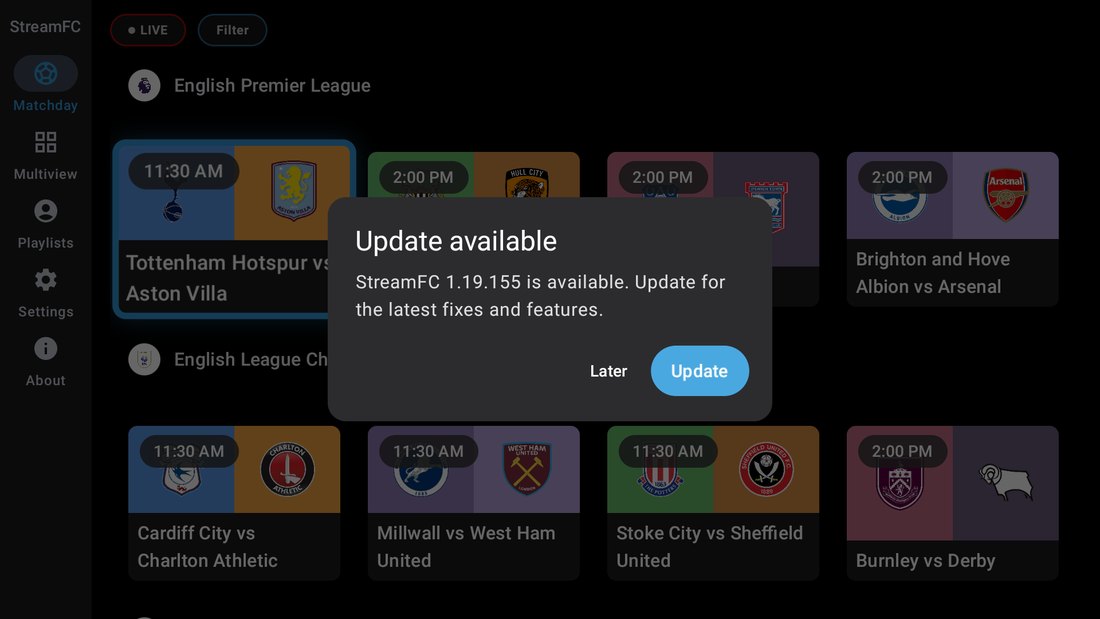
Every update after this one is just this dialog.
Testing an early build?
Code 4387515 installs the next build before it goes out to everyone. Use 6122536 above unless you were asked to test.
Works on
Fire TV needs Fire OS 7 or newer. Android TV / Google TV boxes without Play access work too. Tested on Fire OS 8 and on Android 14.
- Works
- Fire TV Stick (3rd Gen, 2020), Fire TV Stick Lite, Fire TV Stick HD (2024), Fire TV Stick 4K (2nd Gen, 2023), Fire TV Stick 4K Plus, Fire TV Stick 4K Max (2021 and 2023), Fire TV Cube (2nd and 3rd Gen), and Fire TV smart TVs on Fire OS 7 or newer, such as Fire TV Omni, 4-Series and 2-Series.
- Does not work
- Fire TV Stick 4K (1st Gen, 2018), Fire TV Cube (1st Gen, 2018), Fire TV Stick 1st and 2nd Gen and Basic Edition, and Fire TV boxes from 2014 to 2017. These stay on Fire OS 5 or 6. Vega OS models do not run Android apps either: Fire TV Stick 4K Select (2025), Fire TV Stick HD (2026) and Fire TV Stick 4K (3rd Gen, 2026).
Not sure? Open Settings › My Fire TV › About. The software version must say Fire OS 7 or higher.
It is the same app as on Google Play, signed with the same key, so Play can update it in place later without uninstalling. It uses your StreamFC account and counts toward your 5-device limit. Use the same account on every device.
If something goes wrong
- “There was a problem parsing the package”
- Your Fire TV is on Fire OS 5 or 6, which is too old for StreamFC. See Works on above.
- “App not installed”
- An older Play copy with a different signature is installed. Uninstall it first, then retry.
- “Install blocked”
- Allow StreamFC in Install unknown apps (step 5).
- Download stuck
- Check Wi-Fi. It is a big download, so give it a few minutes.
Still stuck?
Email [email protected], or ask on Discord or Reddit. Tell us your device and what you see on screen.